TikTok Video Downloader
Free online TikTok video downloader without watermark. Save high quality HD MP4 videos or convert to MP3 audio fast on iPhone, Android, and PC.
- 1080p HD (test clip)
- MP3 Included
- No Sign-Up Needed
- Runs In Your Browser
How to Download Videos in 3 Simple Steps
-
Step 1: Copy the Post Link
Open the clip on your phone or desktop, tap Share, and select Copy Link.
-
Step 2: Paste the URL into TikMate
Insert the copied link into the search box above to detect available media streams.
-
Step 3: Download Your Preferred Format
Choose HD video, standard definition, or MP3 audio to save the file to your device.
Why Choose TikMate
High-Definition Focus
Saves videos up to 1920x1080 resolution when available from the creator.
Browser-Based Convenience
Runs directly within Safari, Chrome, Edge, and Firefox without requiring app installations or plugins.
Multi-Device Web Compatibility
Designed to work across common web browsers on mobile phones, tablets, and desktop computers.
Zero Sign-Up Required
Download public videos directly without creating user accounts, passwords, or subscriptions.
Clean Stream Delivery
In our test download, the sampled video showed no TikTok logo or watermark.
Dedicated MP3 Audio
Extract audio from TikTok videos as standalone 128 kbps MP3 files.
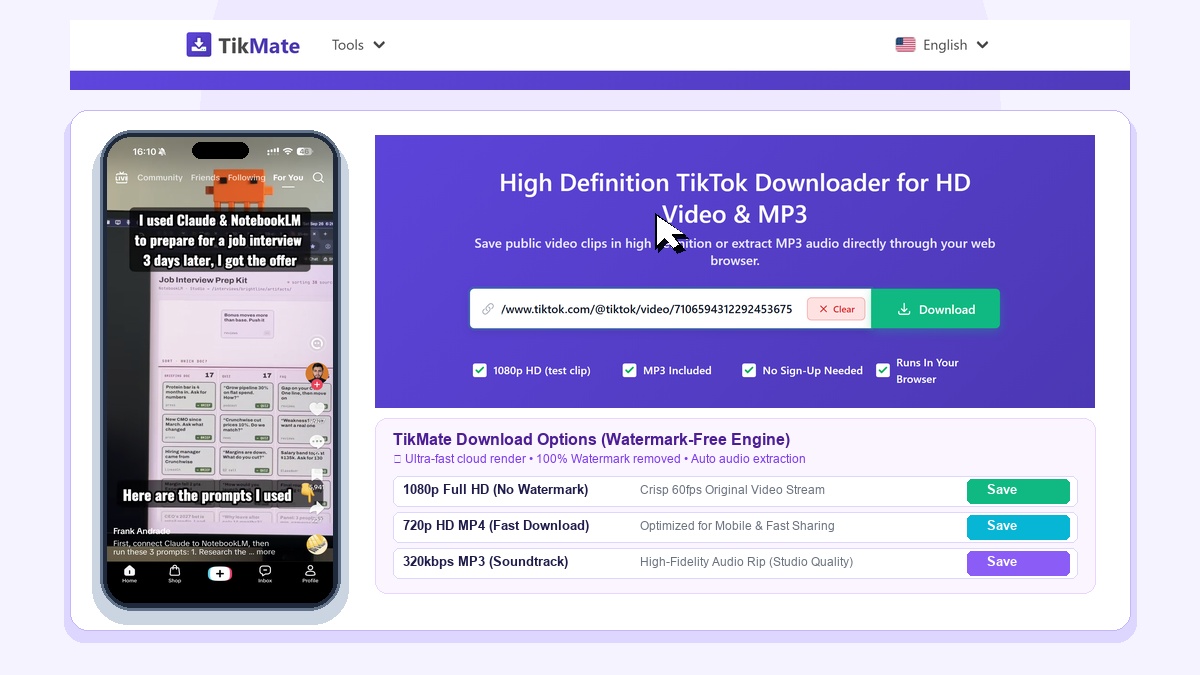
TikMate is a free online tool that lets you download TikTok videos in high-definition MP4 in HD resolution. Save your favorite clips or extract MP3 audio in seconds on any phone or computer.
Download Clean TikTok Videos in clean format in Seconds
When you save a video directly inside TikTok, it comes with a bouncing watermark and username tag that covers the screen. TikMate solves this problem instantly. Just paste the video link, and TikMate gives you the clean, original video file with clear resolution matching the original stream.
How to Download TikTok Videos in 3 Easy Steps
- Copy the link: Open TikTok, find the video you want, tap Share, and choose Copy Link.
- Paste into TikMate: Paste the link into the box above and click the green Download button.
- Save to your device: Choose HD resolution Video or MP3 Audio to start downloading right away.
How to Save Videos to iPhone Photos (Camera Roll)
On iPhone and iPad, Safari downloads files to the Files app. Here is how to move the video into your Photos app in a few seconds:
- Open TikMate in Safari and tap Download.
- Tap the blue download circle in Safari's address bar and tap Downloads.
- Tap the video file to open it.
- Tap the Share button (square with an up arrow) at the bottom-left, then tap Save Video. Done! The video is now in your Photos app.
Why People Love Using TikMate
- Completely Free: Download as many videos as you want. No fees, no subscriptions.
- Clean & Crisp: Delivers public video streams cleanly without extra overlay tags.
- No App or Account Needed: Works directly in your browser. No sign-up, no passwords, no app to install.
- Fast on All Devices: Works smoothly on iPhone, Android, Windows PC, and Mac.
Important Notes & Privacy
TikMate only downloads videos from public accounts. We cannot download private or deleted videos. We do not store any videos on our servers and respect user privacy. TikMate is an independent tool and is not affiliated with TikTok or ByteDance.